Wallpaper Engine Software
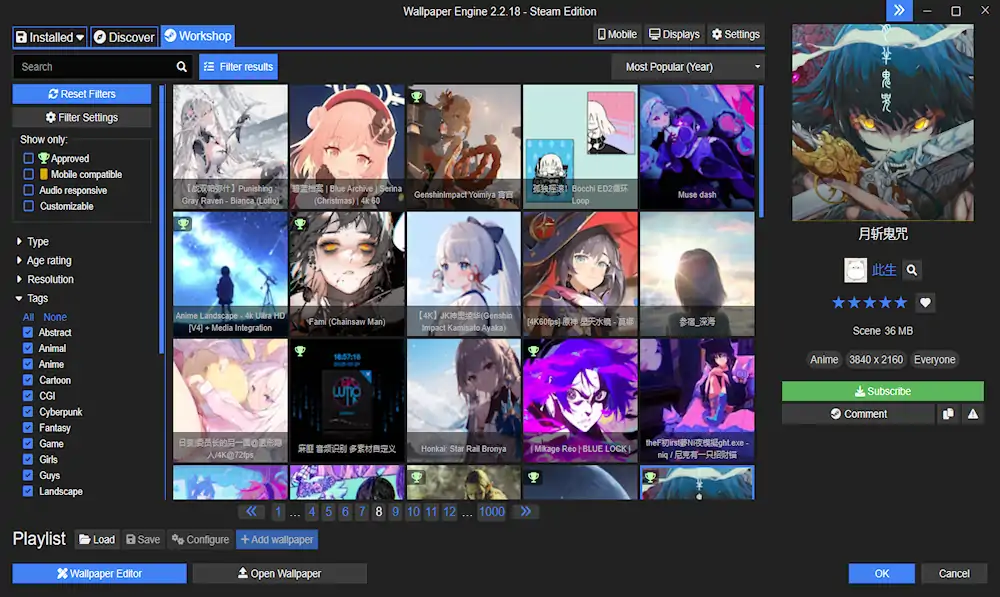
Wallpaper Engine: The Ultimate Tool for Live Wallpapers on Desktop and Mobile
Are you tired of boring, static desktop backgrounds? Do you want to add some life and personality to your computer or mobile device? Look no further than Wallpaper Engine.
Wallpaper Engine software is a program that allows users to create and use live wallpapers on their desktops and mobile devices. With a wide range of customization options and a vast library of pre made wallpapers, Wallpaper Engine is the ultimate tool for adding some flair to your digital life.
Getting Started with Wallpaper Engine Software
To use Wallpaper Engine, simply download and install the software from the Steam store. Once installed, you can browse the vast library of pre made wallpapers or create your own.
To set a live wallpaper, simply select the wallpaper you want and click “Apply.” Wallpaper Engine will automatically set the wallpaper as your desktop or mobile background.
Creating Your Own Live Wallpapers
If you want to take your customization to the next level, you can create your own live wallpapers using Wallpaper Engine. Here’s how:
- Open Wallpaper Engine and click “Wallpaper Editor”

2. Click “Create Wallpaper”

3. Choose the type of wallpaper you want to create (2D, 3D, or video)
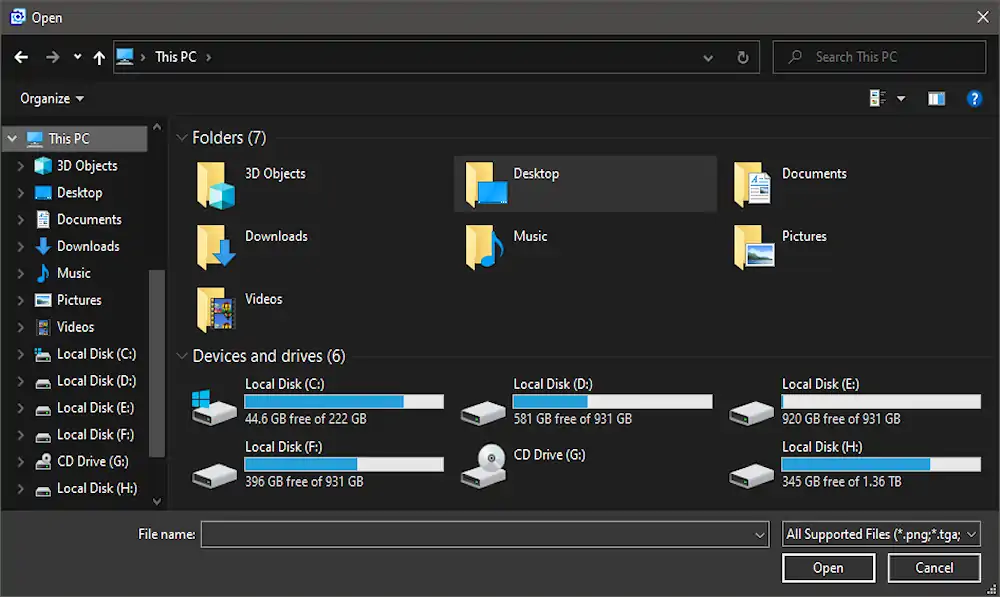
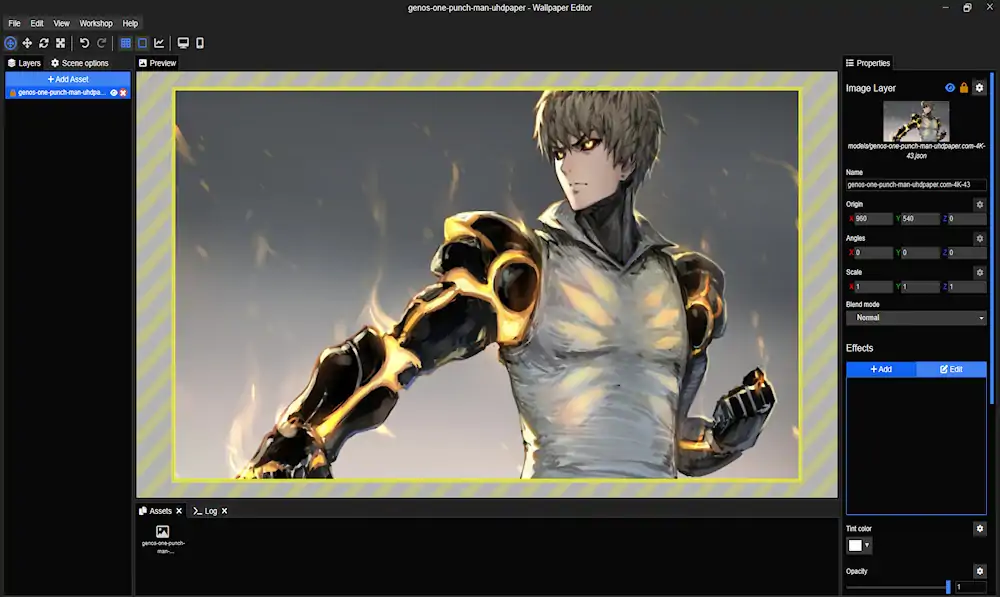
4. Customize your wallpaper using the built in editor
Save your wallpaper and set it as your background
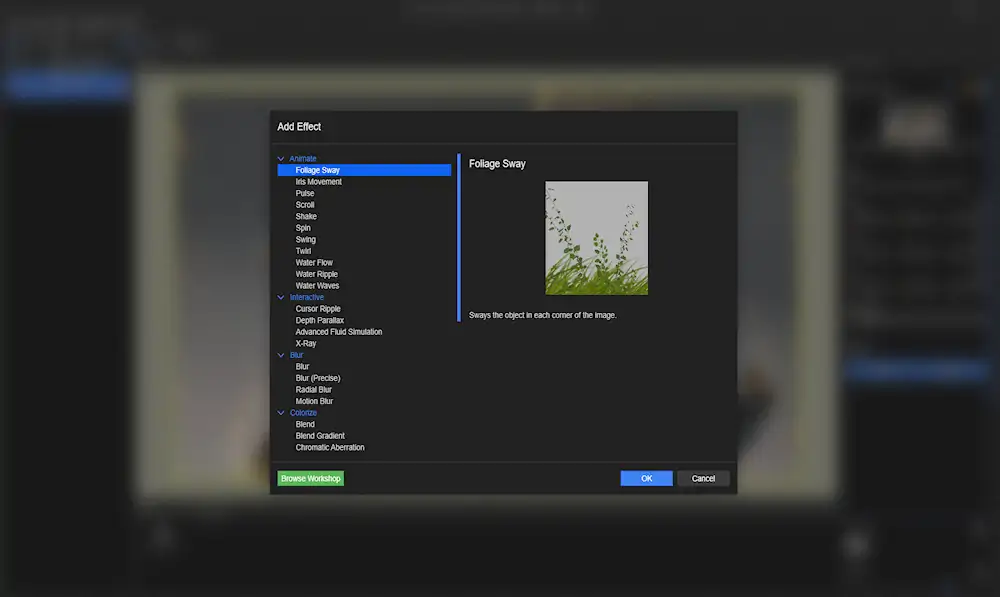
Wallpaper Engine’s editor allows you to add animations, particles, and other effects to your wallpaper. You can also add audio and create interactive elements for a truly immersive experience.
Tips and Tricks for Using Wallpaper Engine
Here are some tips and tricks for getting the most out of Wallpaper Engine:
- Use high quality wallpapers for the best results
- Customize your wallpapers to match your personal style
- Experiment with different types of wallpapers (2D, 3D, and video)
- Use the “Pause on Battery” option to conserve battery life on your mobile device
- Share your creations with the Wallpaper Engine community
Conclusion
Wallpaper Engine is the ultimate tool for adding some personality and life to your desktop or mobile device. Whether you use pre made wallpapers or create your own, Wallpaper Engine offers endless customization options and a truly immersive experience. So why settle for a boring, static background? Download Wallpaper Engine today and start exploring the possibilities.
here are the minimum requirements and recommendations for Wallpaper Engine software for mobile Android and iPhone and desktop PC:
Wallpaper Engine System Requirements Desktop
Minimum requirements:
- OS: Windows 7 (with Aero), 8.1, 10
- Processor: 1.66 GHz Intel i5 or equivalent
- Memory: 1024 MB RAM
- Graphics: HD Graphics 4000 or above
- DirectX: Version 10
- Storage: 512 MB available space
Recommended requirements:
- OS: Windows 10
- Processor: 2.0 GHz Intel i7 or equivalent
- Memory: 2048 MB RAM
- Graphics: NVIDIA GTX 660, AMD HD7870 or above
- DirectX: Version 11
- Storage: 1024 MB available space
Wallpaper Engine System Requirements Mobile Android
Minimum requirements:
- OS: Android 8.1 or newer
- Processor: ARM64 or x86_64
- Memory: 1024 MB RAM
- Graphics: OpenGL ES 3.0
Recommended requirements:
- OS: Android 11 or newer
- Processor: ARM64 or x86_64
- Memory: 2048 MB RAM
- Graphics: OpenGL ES 3.2
Wallpaper Engine System Requirements Mobile iPhone
Minimum requirements:
- OS: iOS 13 or newer
- Processor: A11 Bionic or newer
- Memory: 2 GB RAM
- Graphics: Metal 2.0
Recommended requirements:
- OS: iOS 14 or newer
- Processor: A12 Bionic or newer
- Memory: 4 GB RAM
- Graphics: Metal 2.1
It’s worth noting that these are just the minimum and recommended requirements, and the actual performance of Wallpaper Engine software may vary depending on other factors such as the complexity of the wallpaper being used and other software running on the system.
Additionally, it’s important to make sure that your system meets the requirements for any specific wallpaper that you want to use. Some wallpapers may have higher system requirements than the minimum or recommended requirements for the Wallpaper Engine software itself.
Sources: steampowered.com