Lively Wallpaper Software
A Guide to Using and Creating Live Wallpapers
Are you tired of staring at a static image as your desktop wallpaper? Do you want to add some life to your computer screen? If so, Lively Wallpaper might be the perfect solution for you. In this blog, we’ll explore what Lively Wallpaper is, how to use it, and how to create your own live wallpapers using the software. We’ll also cover the system requirements and recommended specifications for the software.
What is Lively Wallpaper?
Lively Wallpaper is a free and open source software that allows you to set live wallpapers on your Windows 10 desktop. With Lively Wallpaper, you can choose from a variety of animated wallpapers or create your own using videos, images, and even web pages. The software was created by rocksdanister, a developer known for creating customization tools for Windows.
How to Use Lively Wallpaper Software
Using Lively Wallpaper is simple and straightforward. Here’s a step by step guide to get you started:
- Download and install Lively Wallpaper from the official website.
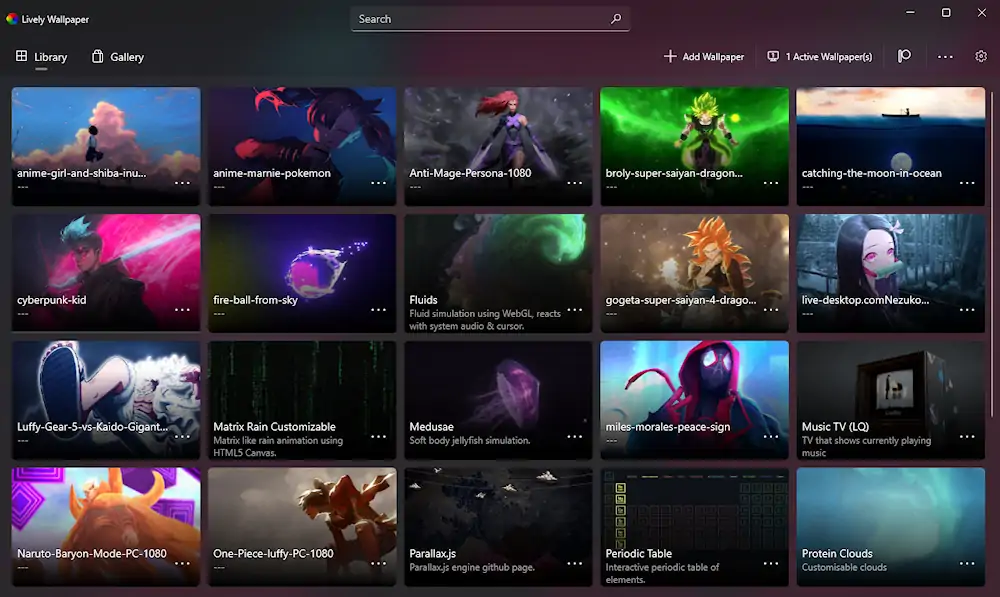
- Launch Lively Wallpaper and browse through the available live wallpapers or create your own.
- To set a live wallpaper, simply select it from the list and click on the “Apply” button.
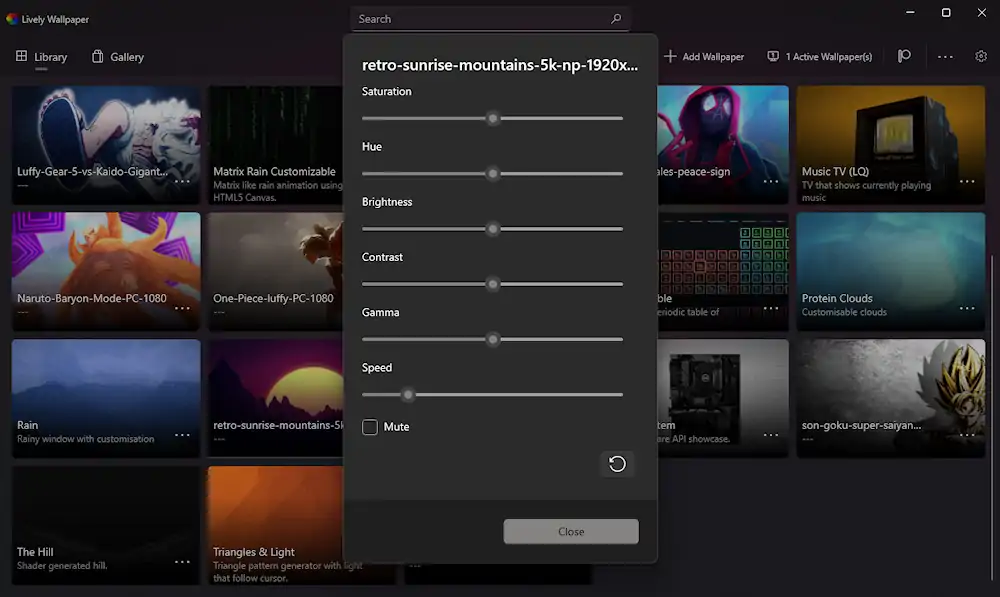
- You can customize the live wallpaper settings by clicking on the “Settings” button next to each wallpaper.
- To create your own live wallpaper, click on the “Create Wallpaper” button and follow the instructions.
How to Create Live Wallpapers Using Lively Wallpaper Software
Creating your own live wallpapers using Lively Wallpaper software is a fun and creative process. Here’s how to do it:
Launch Lively Wallpaper and click on the “Add Wallpaper” button.
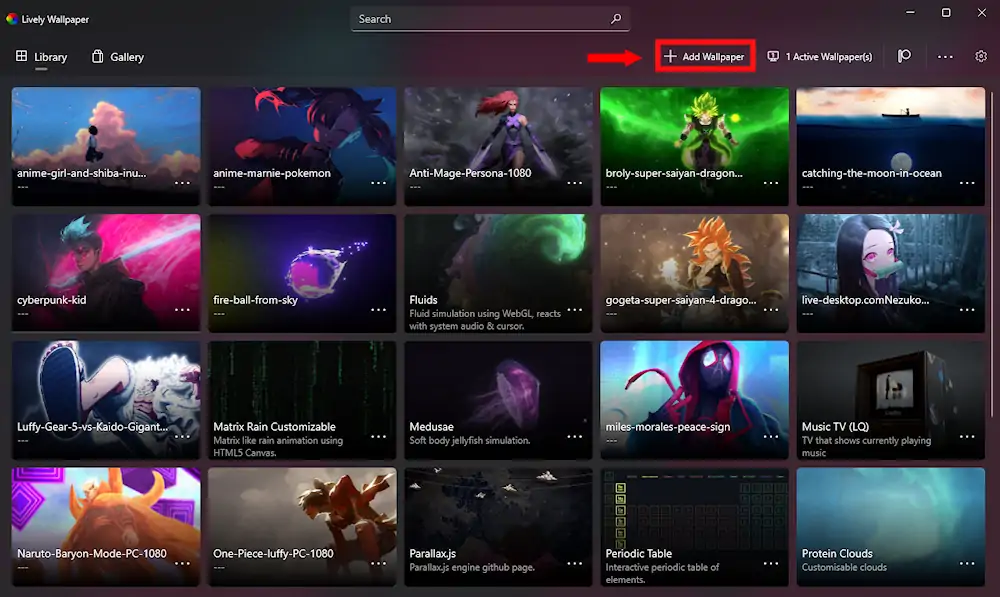
Choose the type of wallpaper you want to create video, image, or webpage.
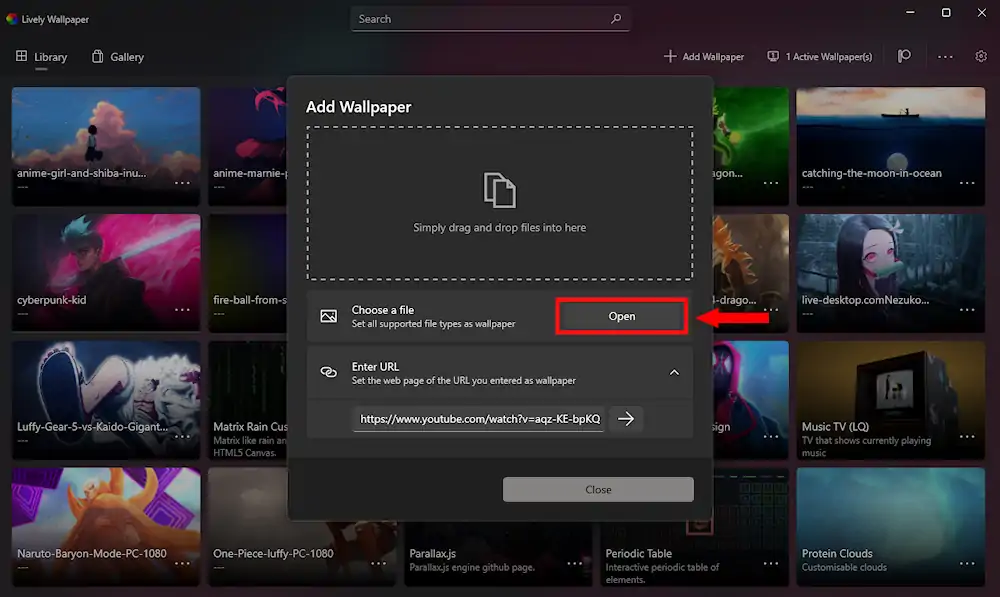
If you choose video, select the video file you want to use and customize the settings such as loop mode, playback speed, and audio settings.
If you choose image, select the image file you want to use and customize the settings such as animation speed, zoom level, and rotation.
If you choose webpage, enter the URL of the webpage you want to use and customize the settings such as refresh rate and background color.
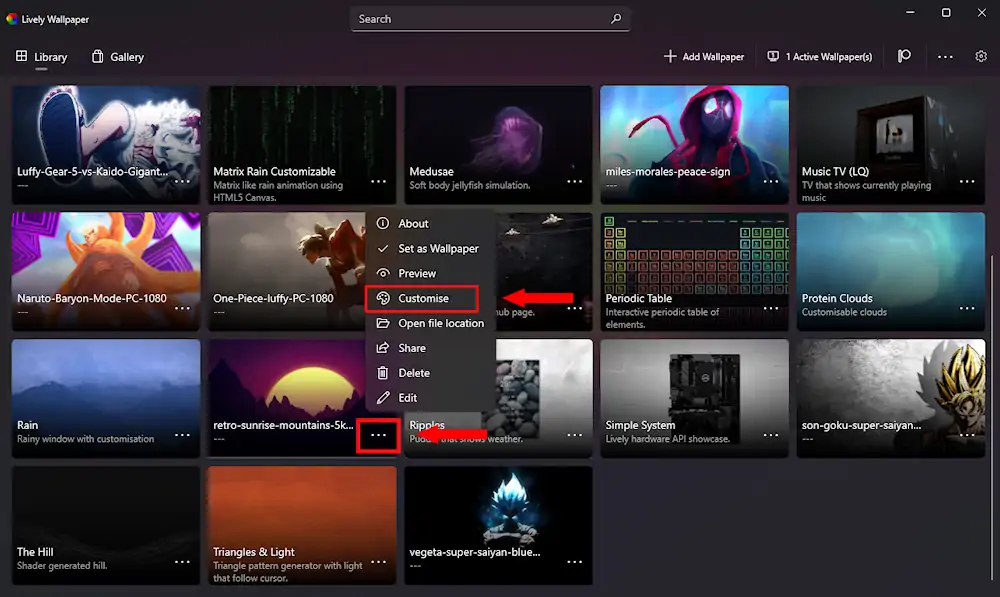
Once you’re done customizing your live wallpaper, click on the “Close” button to save it to your library.
System Requirements and Recommended Specifications
Lively Wallpaper is a lightweight software that doesn’t require a high end computer to run smoothly. Here are the minimum requirements and recommended specifications for the software:
Minimum Requirements:
- Windows 10 64bit
- 2GB of RAM
- 1GHz processor
- 100MB of free disk space
Recommended Specifications:
- Windows 10 64bit
- 4GB of RAM
- 2GHz processor
- 200MB of free disk space
Some Advice
While using Lively Wallpaper, here are some tips to keep in mind:
- Be mindful of your computer’s resources. Live wallpapers can be resource intensive, so make sure to monitor your computer’s performance while using them.
- Experiment with different types of live wallpapers. Lively Wallpaper software allows you to create live wallpapers using videos, images, and web pages. Try out different types to find the one that suits your style.
- Have fun with it! Lively Wallpaper is all about customization and personalization. Don’t be afraid to get creative and make your desktop truly your own.
In conclusion, Lively Wallpaper is a great way to add some life to your Windows 10 desktop. Whether you want to choose from a variety of pre made live wallpapers or create your own, Lively Wallpaper has got you covered. So why wait? Download Lively Wallpaper software today and give your desktop a new lease on life!